
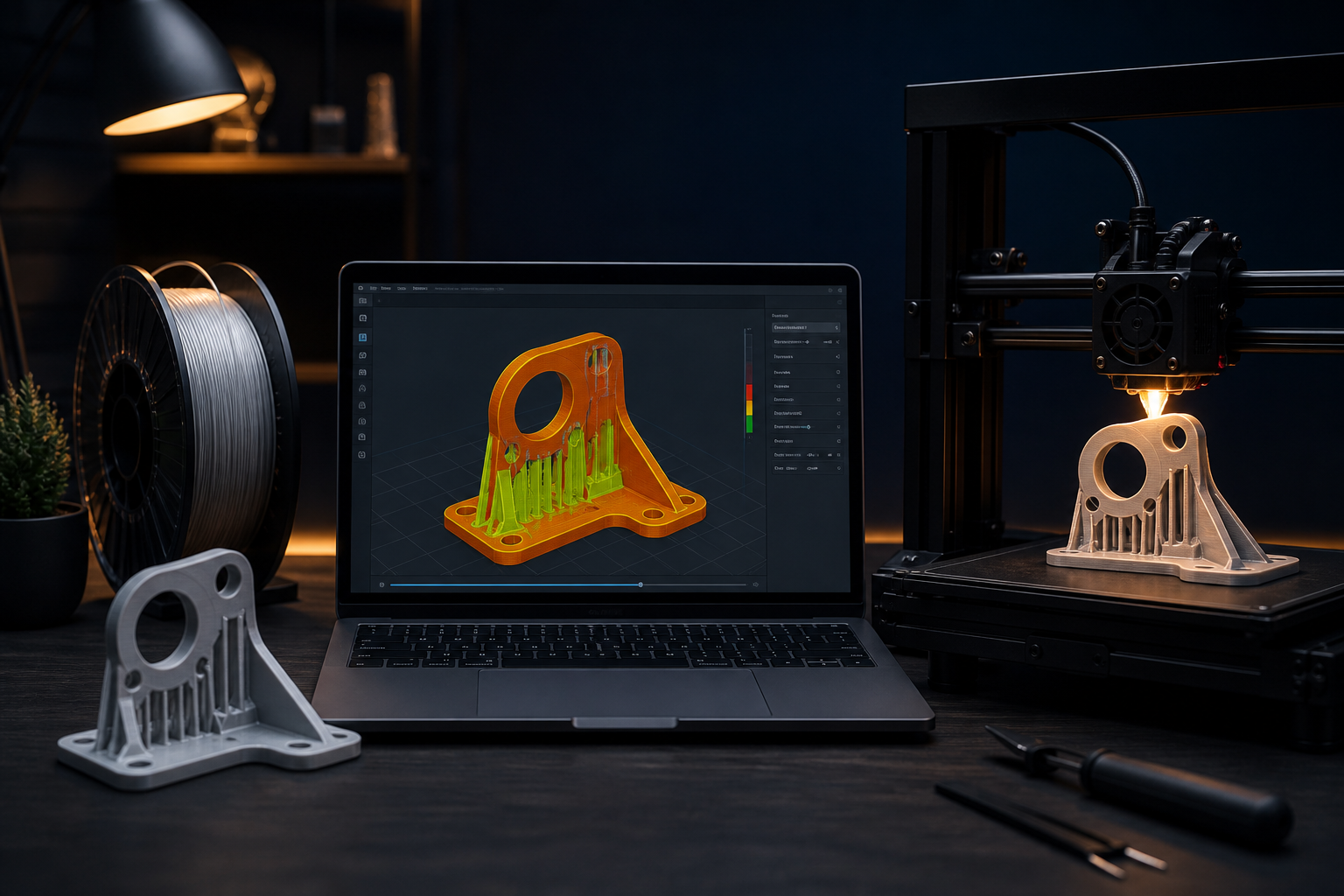
A slicer does one job: it turns a 3D model into toolpaths the printer can execute. Cura, PrusaSlicer, OrcaSlicer, and Bambu Studio all expose hundreds of fields. Most of them can stay on a sane default. The settings that change the part in your hand — and the hours on the machine — are few: layer height, walls, infill, supports, speed, and temperature.
This is not a software tour. It is the decision order we use on real jobs so a phone stand, a drone bracket, and a display bust do not all get the same profile.
What the slicer is actually doing
The model is a shell. The slicer fills that shell with stacked 2D layers: outer walls, inner walls, infill, top/bottom skins, and optional supports. Every extra wall, every drop in layer height, every support tower is more minutes and more grams of filament. If you are quoting a print or sending a file to a maker on Souq3D, these choices are the difference between a 3-hour job and a 14-hour job.
Layer height: quality versus time
Layer height is the thickness of each sheet of plastic. On a standard 0.4 mm nozzle, stay between 0.12 mm and 0.28 mm. A useful rule: layer height should not exceed about 75% of nozzle diameter.
- 0.28 mm — draft, jigs, large boxes, anything you will sand anyway. Fast.
- 0.20 mm — the default for most functional parts. Good walls, reasonable time.
- 0.16 mm — visible curves (helmets, figurines, product mockups) without doubling the duration the way 0.12 mm does.
- 0.12 mm — mini details and shallow slopes. Use it on small parts, not on a 200 mm enclosure.
Halving layer height roughly doubles print time. Clients often ask for “highest quality” on a large PETG housing. Explain the time cost, or print the housing at 0.2 mm and only the logo insert at 0.12 mm.
Variable layer height (adaptive layers) is worth turning on for organic shapes: coarse on vertical walls, fine on curves. It is one of the few “advanced” toggles that pays for itself.
Walls beat infill for real strength
When a printed part breaks in use, it usually fails at a thin wall or a screw boss — not in the fluffy center. Plastic on the perimeter is aligned with the load. Sparse infill is mostly there to support the top skin.
- 2 walls — toys, display models, boxes that only have to look right.
- 3 walls — everyday functional parts (hooks, brackets, enclosures).
- 4 walls — parts that take screws, clips, or bending. Often stronger than jumping infill from 20% to 60%.
A 0.4 mm nozzle with 3 walls is about 1.2 mm of solid shell. That shell, plus 15–25% infill, is the profile we start from for “make it strong but don’t waste a day.”
Infill: percent and pattern
Infill percentage is the most over-tuned slider in beginner profiles.
- 10–15% — figurines, vases with solid bottoms, large decorative shells.
- 15–25% — most functional prints. This is the sweet spot.
- 30–40% — short, stubby parts that get compressed, or when you need a solid feel in the hand.
- Above 50% — rarely justified. You are paying time and material for little extra strength once walls are already thick. Machine it, or add walls, or change orientation.
Pattern matters less than people think, with two exceptions:
- Gyroid — even strength in many directions, prints without crossing itself into a blob. Excellent default for functional parts.
- Grid / cubic — fine, slightly faster on some machines. Watch for infill shining through thin walls; add a wall rather than switching pattern in a panic.
Lightning or adaptive infill is excellent for display models: almost empty inside, dense only under the top skin. Do not use it on a load-bearing bracket.
Supports: print them only when orientation cannot save you
Supports are scaffolding. They cost time, scar the surface, and waste filament. The first fix is almost always rotate the part.
- Put the largest flat face on the bed when you can. You get adhesion for free and skip a forest of supports.
- Overhangs up to about 45–50° usually print without support on PLA with decent cooling. PETG needs a bit more help; TPU hates supports sticking to the part.
- Tree (organic) supports are kinder to organic models and miniatures. Normal / snug supports are more predictable under mechanical brackets with flat undersides.
- Set support Z distance around 0.2 mm on PLA so they peel. Too tight and you destroy the surface; too loose and the overhang droops.
If a part needs supports on every orientation, the model was not designed for FDM. A designer on Souq3D can add fillets, split the part, or put a flat pad on the bottom. That edit is cheaper than 6 hours of support removal.
Speed and temperature: the two knobs after geometry
Once layer height and walls are chosen, quality lives in how fast you melt plastic:
- Outer wall slow, infill faster. A common split: outer wall 40–60 mm/s, inner walls a bit quicker, infill 80–120 mm/s on a rigid machine. Pretty walls are cheap if only the outside is slow.
- Temperature is material-specific, but the print tells you more than the spool label. Shiny, sagging edges: too hot. Weak layer bonds and pale, dusty walls: too cold or wet filament. Change 5°C at a time.
- Cooling: PLA likes a strong part fan after layer one. PETG often looks better at 30–50% fan. ABS wants little or no fan and an enclosure — otherwise layers split.
We already covered which filament to pick in other Souq3D articles. Here the rule is simpler: use the temperature band for that material, then tune to the part in front of you.
The first layer is still 80% of success
All the clever infill in the world will not save a print that skates on layer one. In the slicer:
- First layer 0.2–0.3 mm even if the rest is 0.16 mm.
- First layer speed 20–30 mm/s.
- A brim on small footprints; a raft only on warped beds or tiny pins that cannot stick.
If every print fails in the first five minutes, stop changing infill. Fix bed leveling and Z-offset — that is a machine problem, not a slicer-profile problem.
A starting profile you can actually use
For a 0.4 mm nozzle and PLA on a typical bed slinger or CoreXY:
- Layer height 0.20 mm
- Walls: 3
- Top / bottom: 5 layers
- Infill: 20% gyroid
- Supports: off until an overhang preview says otherwise
- Outer wall ~50 mm/s, infill ~100 mm/s (drop 30% on a wobbly frame)
Clone this profile. Name one “draft 0.28” and one “show 0.16”. Do not build a new profile from zero for every STL.
How these settings change a print quote
When you send a file to a maker, say what you care about: fit and strength, or smooth visible faces. That sentence is worth more than “print it on high quality.” High quality on a 180 mm part at 0.12 mm with 40% infill and supports everywhere is a different product — and a different price — from 0.2 mm, 3 walls, 20% infill, no supports.
If you are unsure, upload the model, mention the use (prototype, end-use bracket, gift), and let the maker choose a profile. That is what experienced operators are for. Souq3D exists so you can get that conversation in one place instead of guessing eighty checkboxes alone.
Comments (0)
No comments yet. Be the first to share your thoughts.